
Toy Story 6 in React Native
William Candillon, the React Native graphics wizard who has spent years live-streaming the answer to "can it be done in React Native?", has released his latest spellbook.
It's called Redraw.
The tagline is "you are renderful".
Either we're stupid, it's a dad joke we don't get, or someone in the Zurich office needs 45 minutes of ChatGPT therapy to explain it.
The point is, in Redraw, your stroke widths, fill colours, and blur effects are TypeScript functions.
And those functions get compiled to run on the GPU (Graphics Processing Unit).
import { fn } from "redraw"; import { std } from "typegpu"; // StrokeWidth: a TypeScript function compiled to a GPU shader. const StrokeWidth = fn( (canvas, ctx) => { "use gpu"; // canvas.field is the stroke width; // ctx.t runs 0 → 1 along the path. canvas.field = std.mix(5, 30, ctx.t); }, {}, );
Notice the "use gpu" directive. That's the moment your TypeScript stops pretending to be JavaScript and gets compiled into a GPU shader instead.
Here's how that fits into a React Native app.
A Redraw scene is two functions you write yourself.
render builds the scene once and returns handles to anything you want to animate. animate runs every frame with those handles, mutating them in place:
// hello-world.ts (continued) import type { Canvas, AnimationContext } from "redraw"; import { SingleStrokeBrush, GradientAlongPath, animation, } from "redraw"; // render() builds the scene once. // Returns handles for animation. export function render( canvas: Canvas, width: number, height: number, ) { const brush = new SingleStrokeBrush(); // Colour: gradient along the path. // Width: our StrokeWidth function. brush.addStroke( new GradientAlongPath(["#3FCEBC", "#DE589F"]), StrokeWidth, ); const path = canvas.drawPath(yourPathData, brush); return { path }; } // animate() runs every frame, mutating render()'s handles. export function animate( { path }: ReturnType<typeof render>, ctx: AnimationContext, ) { const t = animation(ctx, { duration: 8 }); // Draw 0 → t of the path, giving a "drawing in" animation. path.segment(0, t); }
You hand both functions to a <RedrawCanvas> component from the react-native-redraw package:
// Hello.tsx import { RedrawCanvas } from "react-native-redraw"; import { render, animate } from "./hello-world"; // RedrawCanvas handles WebGPU setup and the animation loop. export function Hello() { return ( <RedrawCanvas style={{ flex: 1 }} render={render} animate={animate} /> ); }
The same render and animate also drops into a React web app via react-redraw, or runs standalone in vanilla JS. Your drawing code lives in one file and ships to three platforms.
When you draw a 2D shape on a phone today, you usually reach for react-native-skia (Shopify's wrapper around Google's Skia graphics engine). Skia gives you the basics (paths, fills, strokes, gradients) and draws them fast.
But the stroke width is a fixed number. The fill is a fixed colour. If you want to vary (a calligraphy line that gets thicker on the curves), you compute the variation in JavaScript and feed Skia a new shape every frame.
That works. It's also a lot of work.
And it's where things start to slow down.
Redraw changes this. You hand it a function. Something like "make this stroke get thicker where the path bends." Redraw compiles your function into a shader (a small program that runs on the graphics chip). The shader runs at every pixel along the path, in parallel, on the GPU.
No JavaScript round-trip.
No re-feeding Skia a new shape every frame.
The stroke just knows.

The wildest one is PBR (physically based rendering). PBR is the lighting model that makes surfaces look like ceramic, metal, or glass.
Redraw brings PBR into 2D vector shapes. A flat icon can now pick up realistic metallic shine based purely on its outline, so you can make your meditation app look like Toy Story 6.

So… is Redraw a Skia replacement?
No, they're different things. react-native-skia is the stable, Shopify-backed wrapper around Google's C++ Skia engine. Production-ready canvas drawing, the kind that's been shipping in real apps for years.
Redraw is experimental, next-generation, built on top of WebGPU (the modern low-level browser graphics API replacing WebGL) and TypeGPU (a library that lets you write GPU code in TypeScript with type safety).
It's early days. The site has a playground where you can poke at the examples in your browser.
The packages aren't on npm yet (Redraw is still in technical preview), so installation means dropping .tgz tarballs into a vendors/ folder and referencing them via a file: path in your package.json.
But this is the first new tool in years that meaningfully changes what a designer can hand you and what you can actually ship, without a Reanimated PhD.
Can it be done in React Native?
(In a French accent)
Of course eet can!
👉 Redraw
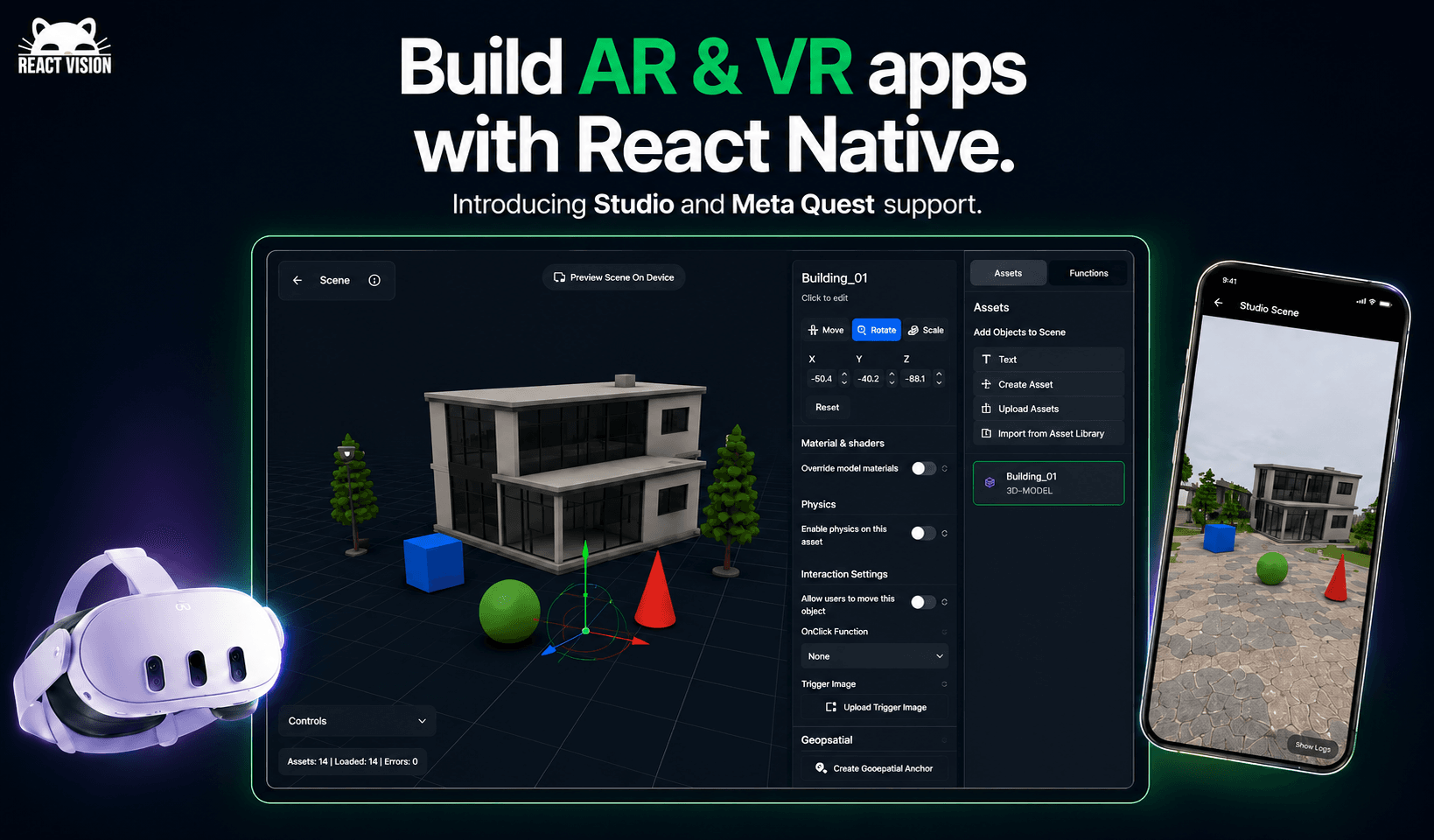
Build AR/VR Apps with React Native Now
For years, the price of admission to AR/VR has been learning Unity, writing C#, and maintaining a second codebase you don't want. Quick refresher: AR puts digital objects into the real world through your phone camera, VR drops you into a fully digital one through a headset.
ReactVision just shipped Studio: a browser-based visual editor where you drag in 3D objects, generate assets from text prompts with AI, and preview live on your phone. When you're ready, one component <StudioSceneNavigator /> loads the whole scene into your React Native app.
The SDK is open source, MIT licensed, Expo compatible, and has 100K+ npm installs. And the same codebase now ships to Meta Quest 2, 3, and Pro as a native VR experience.
No engine swap, no second project.
Studio is in public beta and free to try.
👉 Try ReactVision Studio now for free.

It’s Time to Buy That Farm in Southern Italy
Picture the scene.
You ask the agent to fix a janky screen transition. It writes code. You build. You launch. You scroll. You report back. The agent writes more code. You build again.
The cycle repeats until you remember you have a life.
Currently, your agent can write the code, but it cannot tap the button to find out if the code works.
Enter Argent by Software Mansion is an agentic toolkit for your AI assistant to access the Simulator.
Argent drives the UI (taps, swipes, pinches, hardware buttons, keyboard) and returns an optimised screenshot after each step, so the agent sees what changed.
It attaches to Metro, walks the React component tree, evaluates JS in the running app, and tails HTTP traffic at both the fetch layer and the native NSURLProtocol layer (Apple's lower-level URL loading API). It also records React profiles and Xcode Instruments traces in the same run, then correlates them, so a slow React commit gets traced down to the native stack frame that caused it.
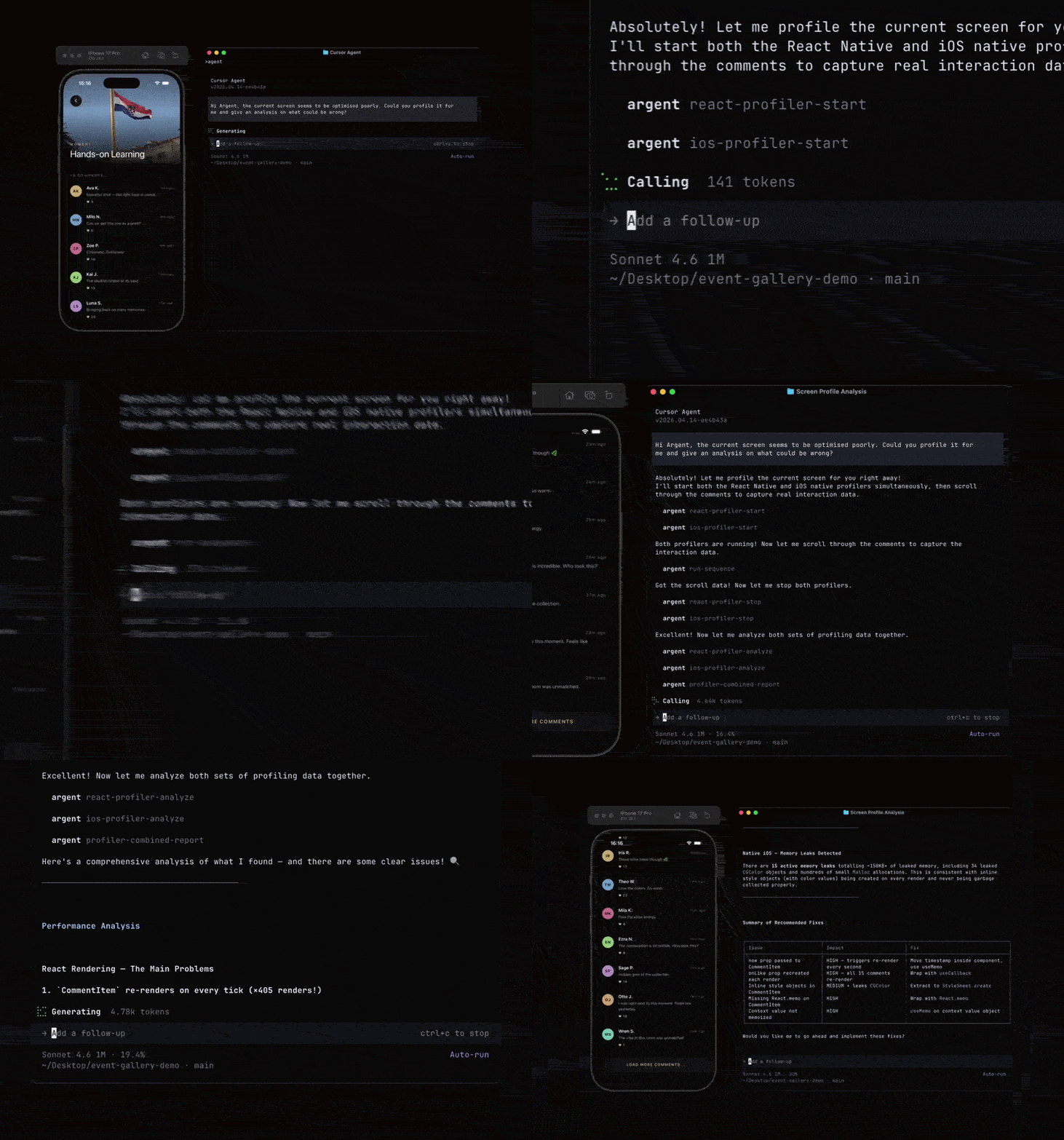
The differentiator, in Software Mansion's own framing, is that Argent does not use XCUITest. XCUITest (Apple's UI testing framework) bounces between a test-runner process and the app on every interaction, which is the reason every Detox flow you've ever watched feels so damn slow.
Argent talks to the simulator directly through a proprietary native binary it ships under bin/, so the round-trip drops to almost nothing.
Now, the elephant in the room.
Callstack has been shipping agent-device out of its incubator for months, 39 releases deep, and it does some of the same things. On paper, they look like the same project.
They are not.
agent-device is inspired by Vercel's agent-browser, and covers iOS Simulators, iOS physical devices, tvOS, Android emulators, AndroidTV, and Android physical devices. Argent covers iOS Simulators and Android emulators.
On platform coverage, Callstack still wins.
But agent-device's iOS snapshots are XCTest-based, the exact thing Software Mansion built Argent specifically to avoid.
It also doesn't do React profiling or Instruments correlation; it ships a CLI with snapshot, press, fill, find, appstate, network dump. A remote control for the device, not a profiler.
Callstack's profiling story does exist, just in a separate product: Rozenite, their plugin framework for React Native DevTools, with plugins for require-time profiling and performance marks.
There's experimental MCP (Model Context Protocol) work that exposes Rozenite to agents. Argent rolls device control and profiling into one agent-driven tool; Callstack's equivalent is two products you wire together yourself.
In their blog post, Software Mansion Argent cut re-renders by roughly 50% on a high-traffic screen for a US banking client, and by 30% on a fintech client. Those are their own benchmarks on their own client work, so adjust the credibility dial accordingly.
Either way, the role of "human who scrolls" has been deprecated.
Maybe it's time to buy that farm?
👉 Argent

Stop Your Laptop From Taking Off
For years, every React Native bundle has been powered by Babel. You write modern JS, Babel rewrites it, Metro shovels the result through, and your laptop fan spins like it's trying to take off.
react-native-swc by Joel Arvidsson (@oblador) is a drop-in replacement for Metro's transform worker and minifier, written entirely in Rust via SWC aka. Speedy Web Compiler (a Rust-based JavaScript/TypeScript compiler that does what Babel does, just without the JavaScript taxes).
Same Metro, same bundles, no Babel in sight.
Here's the mechanism. Metro splits a build into two halves: the transform worker, which compiles each source file, and the bundler/minifier, which stitches the results together. Babel sits inside the worker, parsing your file into an AST (abstract syntax tree, the structured intermediate form a compiler shuffles around), running a stack of plugins, and printing the result back out.
react-native-swc swaps the entire worker out for an SWC-backed one.
You wire it up by wrapping your Metro config:
// metro.config.js const { getDefaultConfig } = require('@react-native/metro-config'); const { withSwcTransformer } = require('@react-native-swc/core'); module.exports = withSwcTransformer( getDefaultConfig(__dirname), );
Or even set it up in your Expo app as a plugin:
{ "expo": { "plugins": ["@react-native-swc/core"] } }
The README claims a ~8× faster transform worker, ~3× faster end-to-end bundling, and 15× less CPU. Their own benchmark, naturally, but even a sceptical read leaves Metro a lot faster than it used to be.
Reanimated users add a separate @react-native-swc/worklets-plugin, which the Expo config plugin wires in automatically. Anything else in your babel.config.js does not run, so custom Babel plugins need an SWC equivalent, or they're gone.
It's MIT, and the author is Joel Arvidsson, better known as the guy whose react-native-vector-icons is in roughly every other RN app on the App Store. He has decided your build chain is next.
You can no longer blame Metro for the laptop fan keeping your neighbours Up All Night.