

Meta’s Magic Potion Goes Public
Meta just open-sourced Astryx.
No, despite the name, Meta has not open-sourced a small indomitable Gaul.
Astryx is a design system.
Astryx grew inside Meta's monorepo for eight years, where it quietly became the biggest design system in the company, powering 13,000+ internal apps.
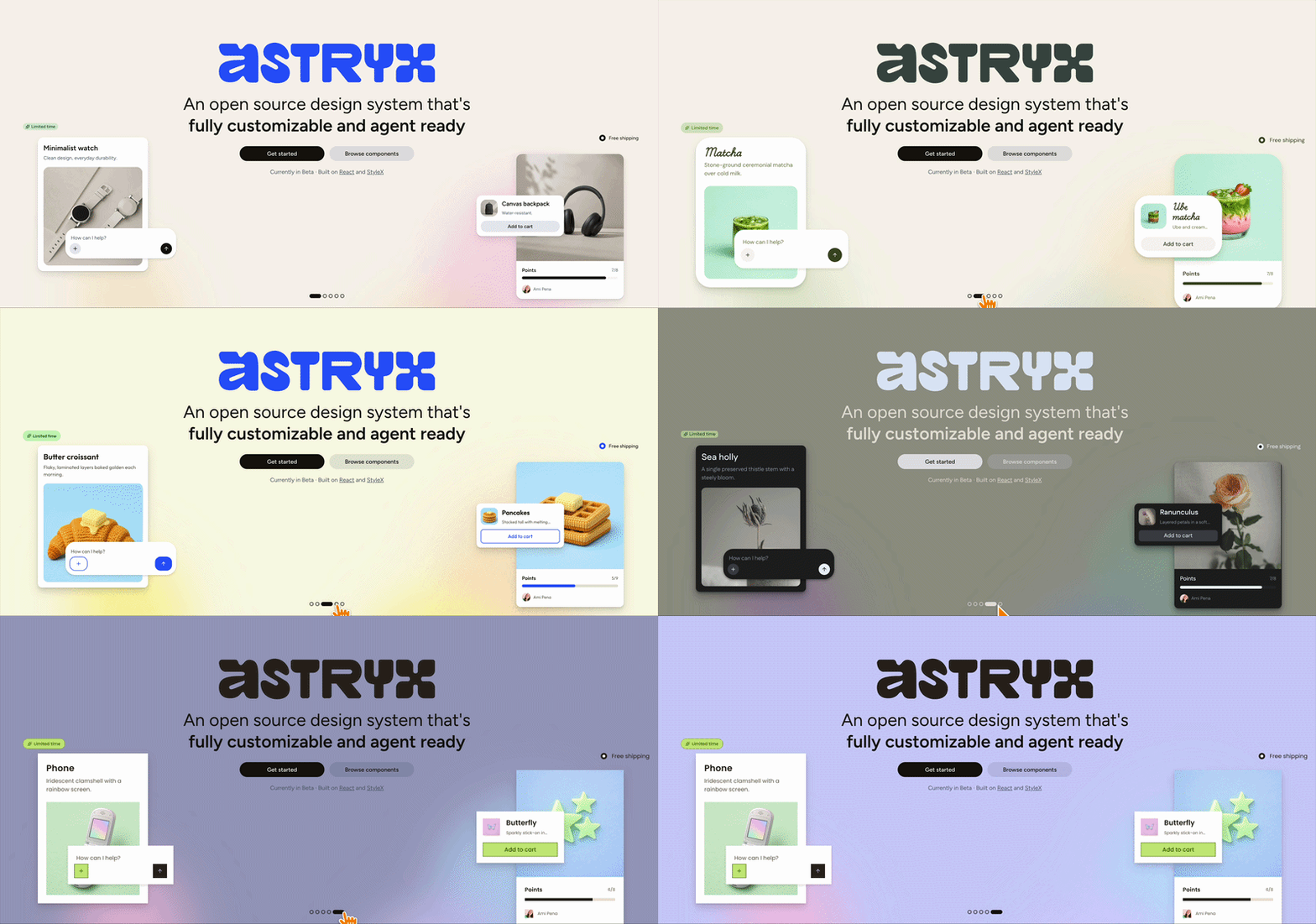
Last week, they made the whole thing public.
Here is what you actually get.
You import one pre-built stylesheet, then use typed React components. No build plugin. No styling library to adopt. No config ritual.
It reads about how you'd hope:
// one subpath import per component import { Button } from "@astryxdesign/core/Button"; <Button label="Save" className="cta" onClick={save} />;
Notice the label prop. Not children. Every component here has the same shape.
Learn one, and you can guess the rest.
So can your agent. More on that in a minute.
Want to restyle something? The Button above arrives fully styled. The className is how you disagree with it.
/* your stylesheet, your rules */ .cta { border-radius: 0; text-transform: uppercase; }
Whatever .cta means in your project (a Tailwind class, a CSS module, a plain stylesheet like this one) simply layers on top of the component's built-in styles. If you have used NativeWind, you already know the drill.
And when you want the deep end, the whole thing is authored in StyleX (Meta's atomic CSS-in-JS library, compiled to static CSS at build time, not runtime). Write a stylex.create() style, hand it to the component's xstyle prop, done.
Theming is a cascade of CSS variables. Swap the token values, and every component restyles at once; no component code is touched.
Seven themes ship out of the box: neutral, butter, chocolate, matcha, stone, gothic, and y2k.
Yes, half of those are a brunch menu.
We are choosing matcha, and nobody can stop us.
Now, the part Meta built the launch around.
Astryx is designed for your agent as much as for you.
The CLI answers questions:
# full docs for one component npx astryx component Button # everything the CLI can do, as JSON npx astryx manifest --json
That manifest command returns a self-describing contract of every command, flag, and response type. Your agent reads one payload instead of scraping --help like it's 2024.
There is a --dense flag that strips the human-friendly filler from the docs, because your context window pays rent by the token.
And an MCP server (the protocol agents like Claude Code use to call external tools) exposes the same surface, so the agent can browse components, pull templates, and scaffold pages without hallucinating a prop that never existed.
It is a Beta, and the component count is genuinely fuzzy. The repo says 90+, the docs site says 150+, and Meta admits the gap is components that exist internally but are not fully written up yet.
Eight years of brewing, and the village finally gets the potion.
👉 Astryx
Let Your Agent Use the App It Just Built
Your coding agent writes a login screen, tells you it's done, and moves on.
It never actually opened the app.
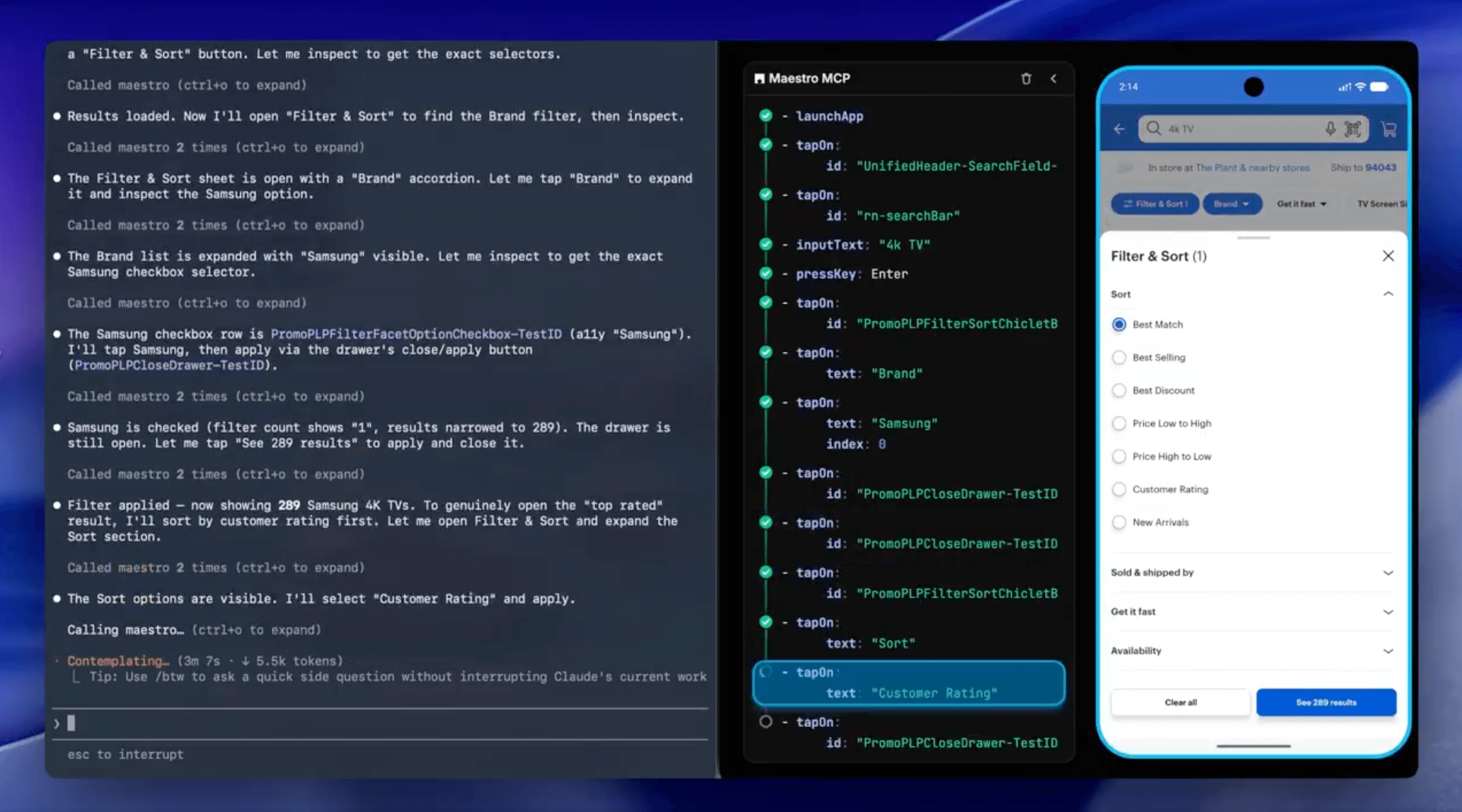
The Maestro MCP fixes that.
It hands your agent an iOS simulator, Android emulator, or physical Android device to drive.
Your agent reads the screen hierarchy, taps through the flow, grabs screenshots, and confirms the feature it just wrote actually works. Then it saves a repeatable end-to-end test, so the same flow doesn't quietly break next week.
The Maestro Viewer embeds the live device right inside your coding agent, showing every command as it runs.
It all ships inside the Maestro CLI.
Point Claude Code, Cursor, Codex, Copilot, or Gemini at it. For Claude Code, it's one line:
claude mcp add maestro -- maestro mcp
Your agent stops saying "this should work" and starts checking.

Your Standup Is Not Going Anywhere
There are two kinds of React Native developers.
The ones who have built a calendar view, and the ones who still have hope.
The PM says "we just need a simple calendar view", and six weeks later, you are hand-rolling event overlap math at midnight.
super-calendar by Afonso Jorge Ramos (@afonsojramos) is a gesture-driven, virtualised month/week/day calendar and date picker for React Native and the web.
The signature move is the pinch.
Row height on the week/day grid is a Reanimated shared value (a value that lives on the UI thread, so animating it never touches React), which means zooming the grid triggers zero re-renders.
Your events zoom along with it.
Pinch in, and they grow to reveal their details.
Pinch out until Monday is four pixels tall and technically no longer your problem.
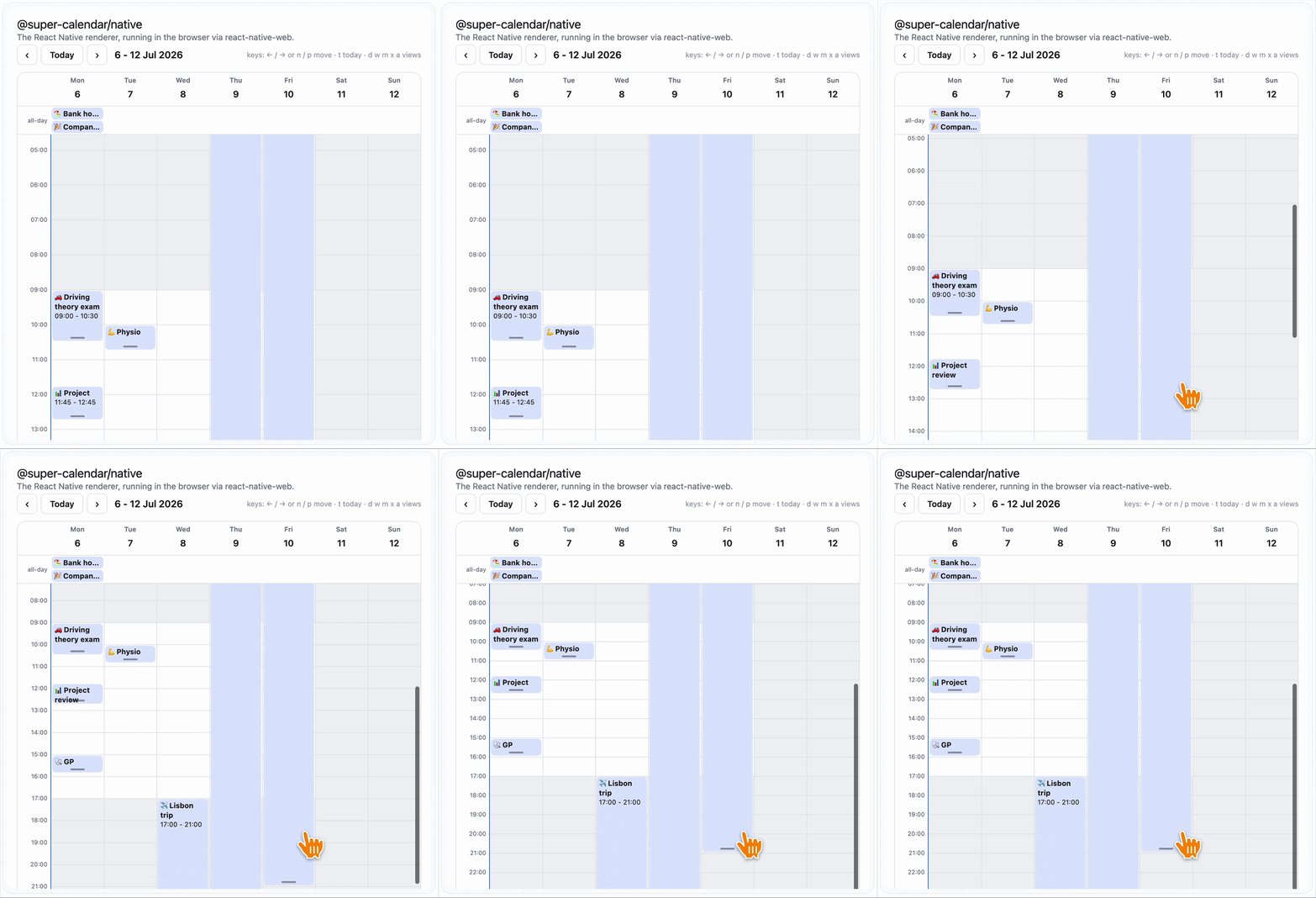
Everything else is a gesture. Long-press and drag to move an event, grab the grip at its edge to resize it, and sweep empty grid space to create one.
And the drag API comes with veto power:
onDragEvent={(event) => { // the 9am standup is not going anywhere if (event.id === "standup") return false; updateEvent(event); }}
Return false, and the event glides right back where it came from.
More boundary-setting than most of us manage.
Underneath, months and weeks are virtualised through Legend List (a fast virtualised list library), so you can fling through years without dropping a frame.
Meanwhile, on Android…
On-device AI in React Native has been a very Apple-flavoured story lately.
Foundation Models this, Apple Intelligence that, iOS 26 everywhere.
Android users, politely raising a hand at the back of the room, your turn.
@react-native-ai/adk by Artur Morys-Magiera (@artus9033) is the newest package in Callstack's react-native-ai family.
It wraps Google's ADK (Agent Development Kit, Google's framework for building AI agents on Android) as a Vercel AI SDK provider.
Which means the whole agent (tool calling, multi-turn sessions, streaming) lives inside your app, behind the same generateText call you already use:
import { adk } from '@react-native-ai/adk' import { generateText } from 'ai' const { text } = await generateText({ model: adk.languageModel(), prompt: 'What time is it in New York?', })
Under the hood, the provider drives an ADK LlmAgent on the native side.
When the agent decides to call a tool, the call is bridged back to a JavaScript executor, so a plain function in your app becomes the agent's hands. Results flow back; the agent keeps reasoning, and everything surfaces as standard AI SDK stream parts and token usage.
You pick where the model lives. Cloud Gemini with an API key (which you keep out of the client, obviously), or fully on-device with Gemini Nano (Google's small local model) via ML Kit.
iOS crowd, feel free to raise a hand at the back.
We hear it builds character.